iPhone · Apple Watch · Mac · Web

Just talk. VoiceWork writes it up.

Record a meeting, a lecture or a passing thought. Get the transcript with speaker names, a short summary and to-dos with reminders.

VoiceWork for Mac with the Q4 roadmap sync note open: overview, decisions and to-dos
Recording on iPhone, with a live preview of the words as you speak
Recent notes on Apple Watch

From your voice to notes you can use.

No setup and no bot joining your call. Tap record, or ask Siri, and put the phone down.

  1. Speak

    Tap record, use the Action Button, a widget or your Watch. You see your words as you talk.

    Recording screen with a running timer and live preview
  2. VoiceWork writes it up

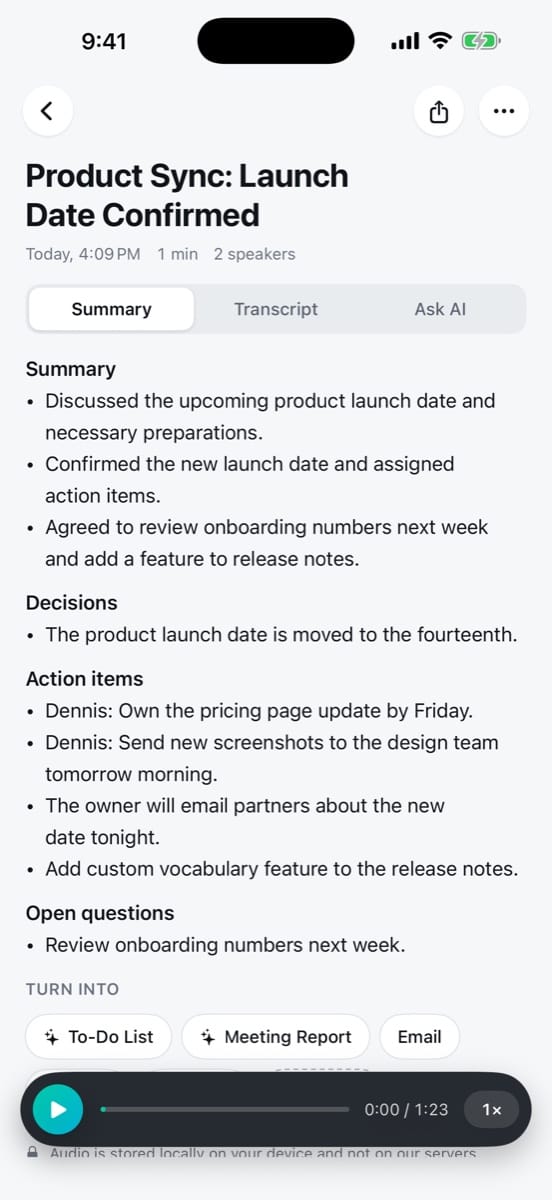
    A title, a summary, decisions and to-dos, with every line in the transcript tied to a speaker.

    Summary screen of a finished note
  3. Act on it

    Get reminders, turn the note into an email or report, share a link, or ask a question later.

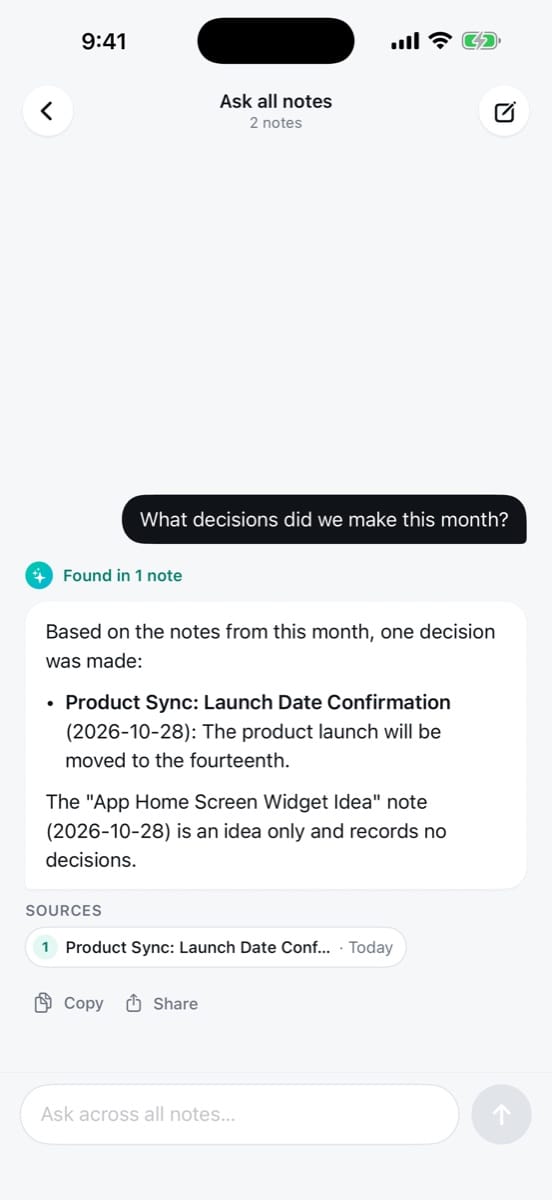
    Asking a question across notes, with the answer and its sources

One 42-minute call. One clear note.

This is what VoiceWork made from Sarah and Dennis's roadmap sync. Nobody took notes.

Q4 roadmap sync

Today, 10:3042 min2 speakersMeeting
Sarah ChenDennis Weber

Summary

Offline mode ships first, in mid-November. The new pricing follows in December, once beta usage data is in. Android moves to Q1.

Decisions

  • Offline mode ships before the pricing change. 12:04
  • The beta grows to 500 people next Monday. 18:41
  • Android moves to Q1. No contractor this quarter. 31:15

To-dos

  • Draft the offline-mode migration plan
    Dennis · Fri 9:00
  • Invite 500 people to the beta
    Sarah · Mon 10:00
  • Done: Share the pricing research doc

Who said what

Sarah
So if offline mode ships first, the pricing page can stay as it is until December.
Dennis
Right. I'll write the migration plan this week, with the risky parts called out.
Sarah
Can the sync service take 500 beta users, or do we need to stage it?
Dennis
I think it can. Let me check the queue limits before Monday.

Turn into

Follow-up email Meeting report To-do list
Audio is stored on your device, not on our servers.
Everything you need after you stop talking.

The useful parts of a recording, ready to read, search and pass on.

Ask across all your notes

Ask in plain words. Answers come with links to the notes and the moment they came from.

What did Dennis commit to?
Dennis took on two things:
  • A written migration plan for offline mode, due Friday. 1
  • Checking that the sync service can handle 500 beta users before Monday. 2
1Q4 roadmap sync · 12:042Q4 roadmap sync · 18:41

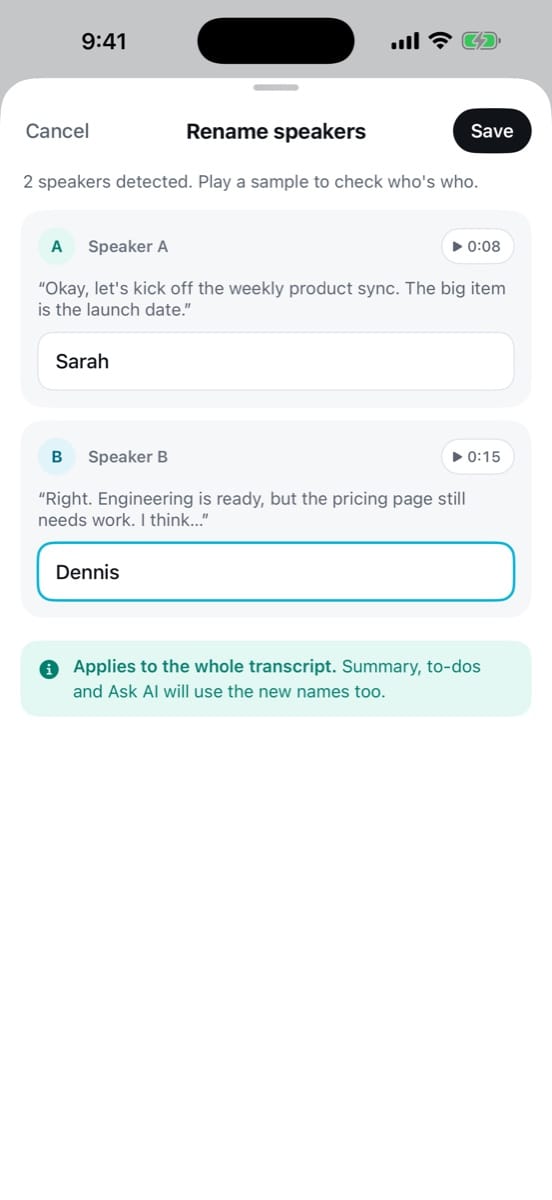
Who said what

Speakers are detected for you. Name them once and the summary and to-dos follow.

Renaming speakers on iPhone
  • Summaries in seconds

    Decisions, action items and open questions, sorted for you.

  • To-dos with reminders

    Set a time on any to-do, or send it to Apple Reminders.

  • Turn into

    A follow-up email, a meeting report or a to-do list, from the same note.

  • Translate

    Read any note in another language. Transcription works in 16+ languages.

  • Export

    PDF, Markdown, plain text or SRT subtitles.

  • Share links

    Send a read-only link to a note. No account needed to open it.


Wherever the thought shows up.

Record on your wrist, read on your laptop. Your notes stay in sync, and your AI assistant can read them too.

Ask VoiceWork on Mac, answering from four notes with sources
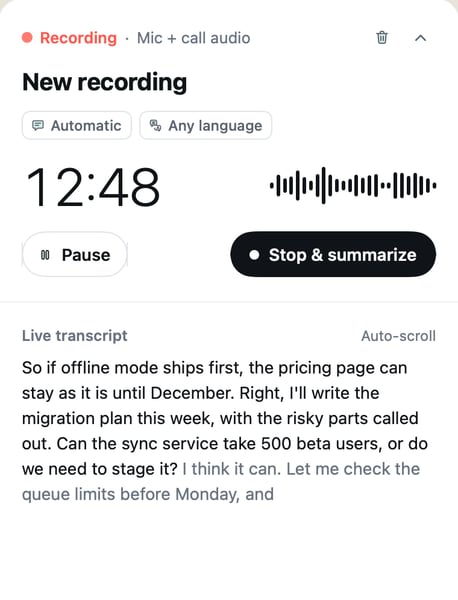
Live transcript panel while recording a call on Mac
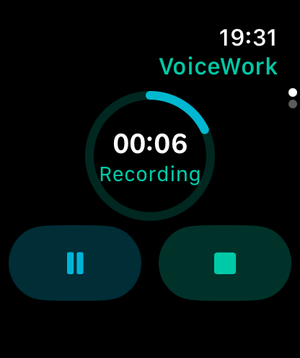
Recording on Apple Watch
  • iPhone

    Siri, Action Button, widgets and a Live Activity on the Lock Screen.

  • Apple Watch

    Start a note from your wrist. It shows up on your phone.

  • Mac

    Record a call from the menu bar and watch the transcript as it happens.

  • Web

    The same notes in any browser.

    app.voiceworkapp.com
  • Claude & ChatGPT

    Add VoiceWork as an MCP connector.

    mcp.voiceworkapp.com/mcp

Privacy

Your voice is yours.

We keep as little as we can, and we tell you exactly where things go.

Read the privacy policy
  • Audio stays on your device

    Recordings are kept on your phone or Mac, not on our servers. Only the text of your notes syncs.

  • AI connections are read-only

    Claude or ChatGPT can search and read your notes. They can't change or delete anything, and saving a new note needs your OK.

  • Leave whenever you like

    Disconnect an AI app with one tap. Delete a note, or your whole account, from Settings.

Start free. Pay when you talk more.

No account needed to try it on iPhone.

Free No card

$0

For quick notes and short meetings.

  • 120 minutes every month
  • Up to 15 minutes per recording
  • Transcripts, speaker names, summaries and to-dos
  • iPhone, Apple Watch, Mac and web
Start for free

Pro Monthly or yearly

Unlimited

For people who live in meetings.

  • Unlimited minutes
  • Recordings up to 2 hours
  • Everything in Free
  • Cancel any time in the App Store
Get Pro

Pro prices are shown in your local currency in the app before you subscribe.


Questions

Where is my audio kept?

On your device. It's sent for transcription and isn't stored on our servers. The text of your notes is saved to your account so it can sync to your Mac and the web.

Which languages does it understand?

VoiceWork transcribes more than 16 languages and detects the language for you. The app itself is available in 10 languages.

How does the Claude or ChatGPT connection work?

Add VoiceWork as a connector with https://mcp.voiceworkapp.com/mcp and approve it from the app. Your assistant can then search and read your notes. It can't edit or delete them.

Can I bring in recordings I already have?

Yes. Import audio or video from Files, or share it to VoiceWork from Voice Memos, WhatsApp and other apps.

Does a bot join my calls?

No. VoiceWork records on your own device, so nothing joins the meeting and nobody gets an invite.

What happens when my free minutes run out?

Your notes stay where they are. New minutes arrive at the start of each month, or you can switch to Pro for unlimited recording.

Say it now. Read it later.